Segments
How to slice results by branch and demographics, what can be crossed, and why a slice sometimes comes out hidden.
A segment is a slice of the results. It is the tool that answers questions like «is the problem the Northern Region, or is it the cashiers, or is it the cashiers in the Northern Region?».
It is also where the product parts ways with an ordinary climate survey: no report to request and no need to ask again. The slice is built on results you already have.
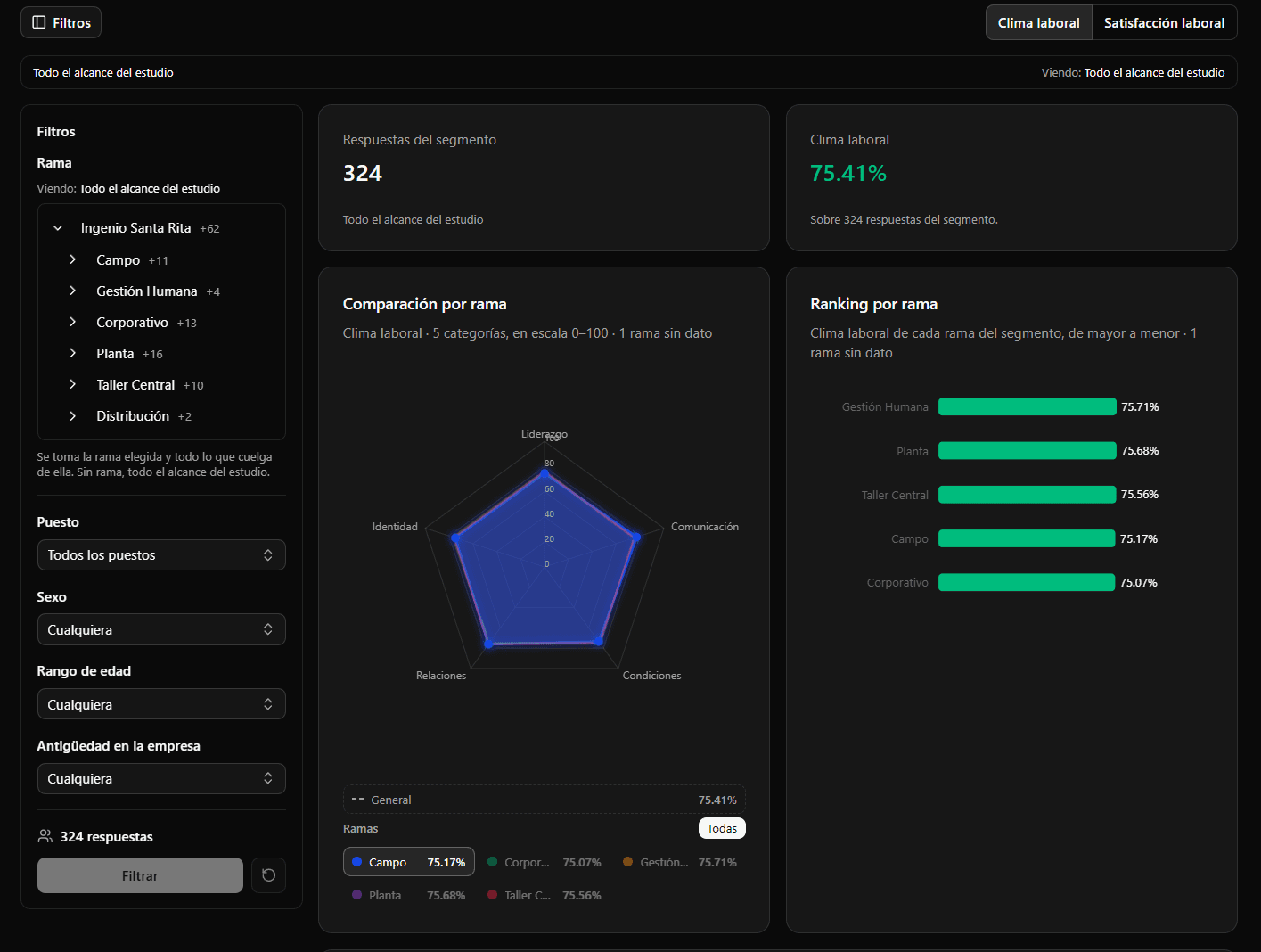
Built in two layers
Layer 1 — the scope. One node of the tree, and with it its whole subtree. It is a single value: pick «Northern Region» and you are looking at the entire region, with its stores and its departments.
Layer 2 — the filters. On top of that scope, you can slice by four axes:
- Position
- Sex
- Age band
- Tenure band at the company
Each axis takes several options at once, and leaving it empty means «all».
How they combine
This is the part to be clear on so you do not misread a number:
Within an axis, options add up. Picking «cashier» and «stocker» under Position gives you people who are one or the other.
Across axes, it narrows. Position «cashier» plus Sex «female» gives you female cashiers: both conditions have to hold, not one.
So adding options within an axis grows the group, and adding axes shrinks it. It sounds obvious written down and it is the usual reason a segment runs out of data.
The demographic axes do not come from the roster
This matters and it surprises people: sex, age and tenure are not imported from the employee spreadsheet. They originate in the questionnaire itself, at response time.
That is exactly what makes it possible to segment by demographics without being able to link a response to a person. If they came from the roster, crossing «female, 30-40, North Store» against the directory would produce names. See Anonymity and minimum N and The roster spreadsheet.
Position and branch freeze at response time
The position and node a response enters the analysis with are the ones the person had at the moment they responded.
If someone moves to another store six months later, the previous study's results do not shift. That is correct: that response describes how that person felt there, and reassigning it to the new place would rewrite the past of both branches.
When a segment comes out hidden
This is the most common thing when you start using segments, and it is almost never an error.
Every slice has to gather enough responses to clear the confidentiality threshold. Crossing four axes at once over a mid-sized branch splits the sample into tiny cells, and there the product stops publishing.
What to do, in order:
- Drop an axis. Usually enough. «Female cashiers in the Northern Region» tends to exist; «female cashiers aged 30 to 40 with over five years at the Central Store» almost never does.
- Raise the scope. The same cross over the region instead of the store.
- Group options. Two adjacent age bands instead of one.
The notice is always the same and does not say which reason applied. That is deliberate: the reason is information about the hidden group. It is not lazy copy.
When a segment comes out with «Partial coverage»
A filter by position, sex, age or tenure is computed over groups of at least N people that the product builds when the study is finalized, and it publishes only the groups that fall entirely inside the filter (see Anonymity and minimum N). If someone in the filter ended up in a group mixed with people of another position or sex, the result still comes out, marked «Partial coverage»: it describes part of the people in the filter, not all of them, and it does not say how many are missing.
If the product offers to show the complete filter, that is the smallest filter that includes yours and does come out whole (for example, two positions together). In a historical series each study builds its own groups, so one year can come out complete and the next with partial coverage: comparing them is comparing different people.
Using it well
Start wide and close in. Look at the whole branch, find the weak category, and only then test whether it concentrates in some group. The other way round —starting with four filters on— leaves you staring at hidden results without knowing whether the problem exists.
Use it to confirm, not to explore. Trying twenty crosses until one comes out different is not a finding: with enough attempts, one always does. If you have a hypothesis, the segment answers it; if you do not, the segment will hand you a coincidence.
The segment governs the whole screen. The slice you apply is kept when you switch tabs, and reports you download come out with that segment applied. If a file does not match what you expected, check which segment you had set.